Allen-Bradley 1336-BDB-SP31C Gate Driver Board Troubleshooting for Inverter Faults
Time:2026-10-23 Browse: 4
Allen-Bradley 1336-BDB-SP31C Gate Driver Board Fault Diagnosis
When an Allen-Bradley 1336-BDB-SP31C Gate Driver Board is suspected of causing an inverter fault, the first diagnostic task is to distinguish a genuine gate driver failure from a damaged power transistor, an open board fuse, or a problem in the associated sensing and wiring circuits.
The gate driver board operates within the drive's high-energy power electronics assembly. A drive that trips during startup or fails to produce normal motor output does not necessarily have a defective board. Reliable Fault Diagnosis requires checking the documented fault condition, the relevant electrical components, and the board's connections before deciding whether replacement is justified.
Allen-Bradley 1336-BDB-SP31C Troubleshooting: Drive Trips During Startup
Consider a representative industrial maintenance case in which an Allen-Bradley 1336 IMPACT drive trips during startup following an earlier power-stage fault.
The technician initially suspects the gate driver board because the drive cannot return to normal operation. However, replacing the board immediately would leave an important question unanswered: did the original fault damage the board, or did another power-stage component cause the trip?
The investigation begins with the recorded fault information and a visual inspection of the drive. After applying the prescribed lockout procedure, the technician verifies that the DC bus has discharged to zero and that control power is absent. The associated fuses, connectors, and power-stage components are then examined according to the applicable service manual.
This is an illustrative troubleshooting scenario, not a claim of a documented failure or measured repair result for a specific 1336-BDB-SP31C installation.
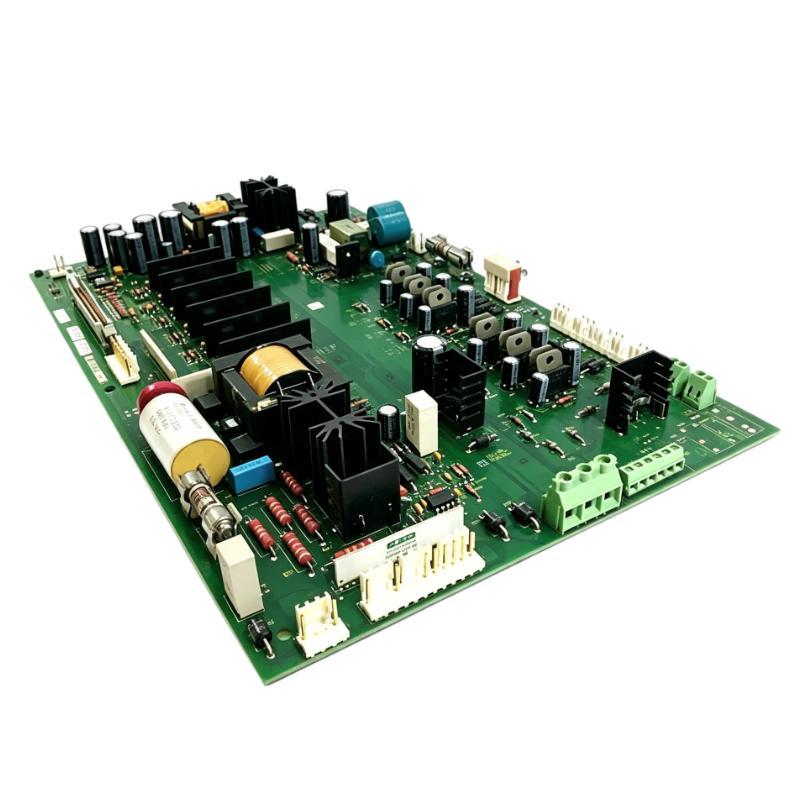
Allen-Bradley 1336-BDB-SP31C Fault Diagnosis: Inspecting Board Fuses
An open fuse can interrupt the gate driver board's operation and produce symptoms similar to a more extensive electronic failure.
The Allen-Bradley 1336 IMPACT troubleshooting documentation describes checking gate driver board fuses F1 and F3 for an open condition. It also provides diode-test procedures for specified board components. These procedures must be followed using the correct manual revision and board configuration.
With the drive isolated and verified safe, a qualified technician should:
Inspect the board and surrounding circuitry for visible damage or overheating.
Test the specified fuses using the manufacturer's procedure.
Examine connector seating and wiring condition.
Investigate the reason for any open fuse before returning the drive to service.
Do not replace a fuse repeatedly without determining why it opened. An underlying power-stage fault may cause a replacement fuse to fail again.
Allen-Bradley 1336-BDB-SP31C Gate Driver Board Diode Testing
Where the applicable service manual specifies diode testing of the gate driver board, use the documented meter connections and expected readings for the relevant test points.
The 1336 IMPACT troubleshooting procedure identifies components VR1 through VR6 for diode testing at designated connectors J7 and J8. The expected readings and test-point arrangements must be taken from the correct service documentation rather than guessed from another board revision.
A reading that differs from the specified result may indicate a defective board component, but the conclusion should account for the test configuration and any connected circuitry that could influence the measurement.
Do not perform resistance or diode tests on energized circuitry. If the documented procedure requires disconnection of connectors or removal of the board, follow the prescribed sequence and electrostatic-discharge precautions.
Allen-Bradley 1336-BDB-SP31C Troubleshooting: Distinguishing Driver and Power-Stage Failures
A recurring inverter fault can originate outside the gate driver board. The diagnostic process should compare the available evidence from the board, its connected power devices, and the drive's protection circuitry.
When a specified board fuse is open: Check the associated circuitry for damage before installing a replacement board or fuse.
When diode-test readings fall outside the documented range: Verify the test setup and connector identification. If the results remain inconsistent, the board may require replacement or approved bench evaluation.
When the gate driver board passes its prescribed checks: Continue investigating the power transistor assembly, associated connections, sensing circuits, and other components identified by the drive's fault information.
When a replacement board fails again: Stop repeated energization and investigate the original failure mechanism. A defective power-stage component or incorrect connection may be damaging the replacement.
This approach reduces unnecessary parts replacement and helps prevent a secondary failure during commissioning.
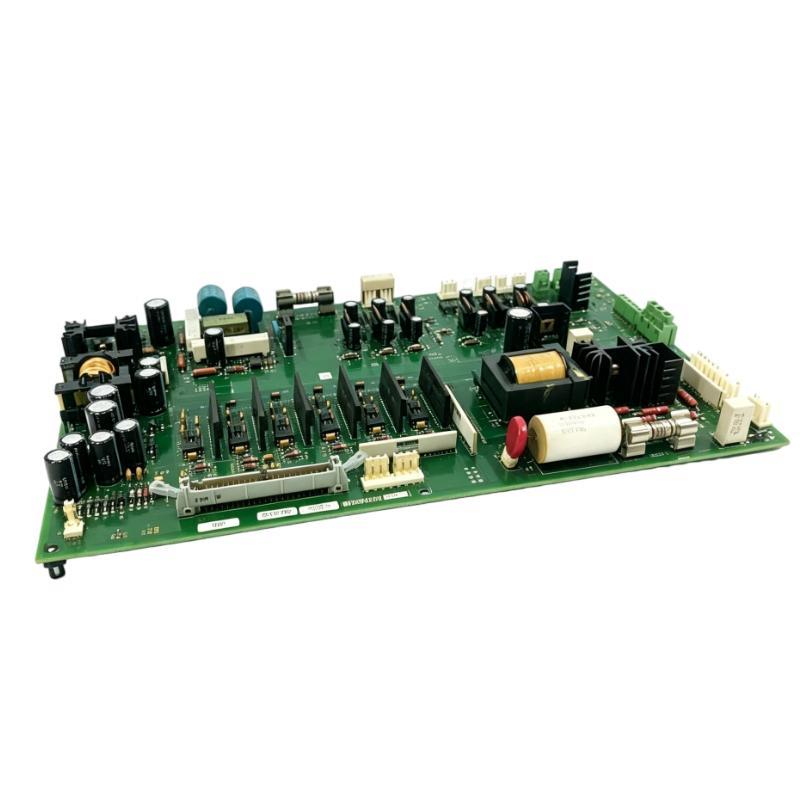
Allen-Bradley 1336-BDB-SP31C Repair and Replacement Decisions
Replacement is appropriate when the board fails the manufacturer's specified diagnostic tests or shows damage that makes continued service unsuitable. Before installing another board, confirm that the replacement matches the drive's exact electrical configuration and applicable revision requirements.
During removal and installation, mark the wiring, preserve connector orientation, and follow the documented fastener requirements. Protect the circuit board from electrostatic discharge and inspect the mating connectors for damaged pins or poor contact.
If the root cause cannot be isolated through the approved field checks, use a qualified drive-repair service equipped to evaluate the gate driver board and associated power electronics. Avoid improvised component substitutions or undocumented circuit modifications.
Allen-Bradley 1336-BDB-SP31C Post-Repair Setup and Commissioning
After corrective action, inspect the complete assembly before restoring power. Confirm that the board connectors, grounding points, wiring harnesses, covers, and guards have been correctly restored.
Follow the manufacturer's prescribed startup procedure and review the fault information during controlled testing. If the original failure involved the inverter power stage, verify that the related fault condition has been resolved before performing an operational test.
Record the original fault, fuse and diode-test findings, replaced components, board identification, and final commissioning results. This information provides a useful reference if the drive later develops a similar symptom.
Allen-Bradley 1336-BDB-SP31C Troubleshooting Guide: Long-Tail Diagnostic Questions
Maintenance engineers investigating this gate driver board may need to answer several specific questions:
How can an Allen-Bradley 1336-BDB-SP31C gate driver board fault be distinguished from an inverter power transistor failure?
Which fuse checks are specified for the 1336 IMPACT gate driver board?
How should the documented VR1–VR6 diode tests be performed?
Why can a replacement gate driver board fail after installation?
What safety checks are required before inspecting the 1336 drive's internal electronics?
The answers depend on the exact drive configuration and applicable service manual. Manufacturer-defined measurements and test procedures should take precedence over generic troubleshooting assumptions.
Allen-Bradley 1336-BDB-SP31C Fault Diagnosis: Maintenance Closeout
A complete repair record should identify the original drive symptom, diagnostic measurements, verified root cause, corrective work, and post-repair test results.
For the Allen-Bradley 1336-BDB-SP31C Gate Driver Board, the most reliable troubleshooting strategy is to verify the board's condition while investigating the surrounding power electronics. This helps prevent repeat faults and supports a more dependable return to service.