Allen-Bradley 1336-BDB-SP31C Gate Driver Board Installation Guide
Time:2026-10-23 Browse: 4
Allen-Bradley 1336-BDB-SP31C Gate Driver Board Installation Overview
The Allen-Bradley 1336-BDB-SP31C Gate Driver Board must be matched to the correct 1336 drive platform and power-stage configuration before installation. Incorrect board selection, misaligned connectors, or electrostatic discharge can damage drive electronics or prevent the inverter from operating correctly.
The 1336-BDB-SP31C is associated with the Allen-Bradley 1336 IMPACT adjustable-frequency AC drive family. The manufacturer's service documentation identifies the gate driver board as an internal drive component connected to the power-stage circuitry, precharge circuitry, and associated sensing connections. Confirm the precise drive compatibility and board revision before ordering or installing a replacement.
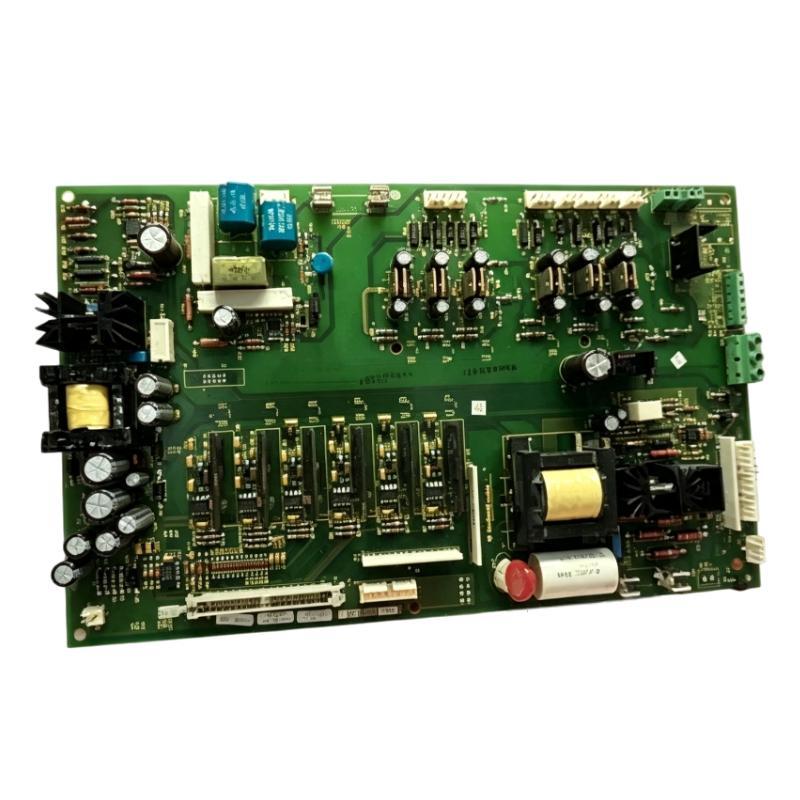
Allen-Bradley 1336-BDB-SP31C Role in AC Drive Operation
A gate driver board provides the control interface required to operate the power-switching devices in an adjustable-frequency AC drive. Its operation is closely related to the inverter power stage and the drive's internal protection and monitoring circuits.
If the gate driver board is faulty, the drive may fail to start, report a hardware-related fault, or operate abnormally. However, similar symptoms can result from damaged power transistors, open fuses, wiring defects, or faults elsewhere in the drive.
The installation process should therefore include compatibility verification and inspection of the associated circuitry, not simply replacement of the board.
Preparing the Allen-Bradley 1336-BDB-SP31C for Installation
Before servicing the drive, verify the complete catalog number, the installed board revision, and the drive's model and frame configuration.
Prepare the work area and equipment as follows:
Obtain the applicable 1336 IMPACT service manual and wiring diagrams.
Record connector locations and mark every connection before removal.
Prepare an appropriate electrostatic-discharge wrist strap and handling area.
Inspect the replacement board for shipping damage, contamination, and bent connector pins.
Confirm that the replacement is approved for the specific drive configuration.
Electrical safety is essential. Disconnect and lock out the incoming supply, account for other possible energy sources, and verify that the DC bus voltage has discharged to zero using the manufacturer's specified measurement procedure. Also verify the absence of control voltage before touching internal circuitry. Do not rely on the display going dark as proof that the drive is safe.
Allen-Bradley 1336-BDB-SP31C Gate Driver Board Removal and Installation
The 1336 IMPACT service documentation describes access to the gate driver board through the drive's internal control-board mounting assembly.
Once the required isolation and zero-voltage checks have been completed, remove the necessary covers and mounting assemblies according to the applicable service manual. Disconnect the identified board connectors and wiring, marking each connection before removal.
Inspect the connectors and harnesses for loose contacts, damaged insulation, contamination, or evidence of overheating. Check the associated power-stage connections for visible damage before installing the replacement board.
Install the replacement using the specified mounting hardware and torque requirements. Reconnect every connector according to the original wiring records and the manufacturer diagrams. Pay particular attention to harness orientation: incorrect alignment or connection can cause drive malfunction or equipment damage.
Use the model-specific service instructions for the exact connector list and removal sequence. Do not assume that every 1336 drive variant uses an identical board layout.
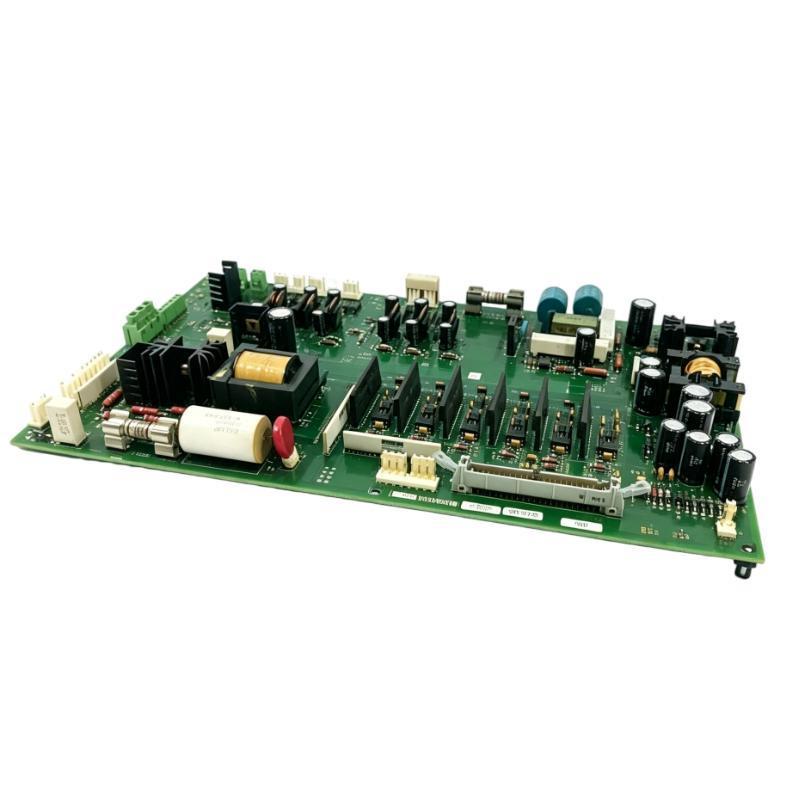
Allen-Bradley 1336-BDB-SP31C Setup and Commissioning Checks
After installation, verify the physical and electrical condition of the drive before applying power.
First, confirm that all connectors are fully seated and that grounding connections, covers, and protective barriers have been restored. Check that no tools or loose hardware remain inside the enclosure.
Next, verify the board identity, associated power-stage connections, and relevant fuse conditions using the approved service procedure. If the original failure involved a power transistor or inverter module, investigate the cause before returning the drive to service.
During commissioning, follow the manufacturer's prescribed startup and diagnostic procedure. Review the drive's fault history, verify the control configuration, and perform the approved functional tests under controlled conditions.
Do not bypass protection circuits or repeatedly energize the drive when a power-stage fault remains unresolved.
Allen-Bradley 1336-BDB-SP31C Installation Case: Replacing a Failed Board
Consider a representative maintenance scenario in which a 1336 IMPACT drive stops operating after an inverter-related fault. A replacement gate driver board is available, but the engineer first inspects the surrounding power stage and checks the documented fault history.
If the investigation reveals evidence of a failed power transistor, installing a new board without checking the associated circuitry may result in another failure. The technician should therefore verify the relevant power-stage components, fuses, and connectors according to the service manual before completing the replacement.
This is an illustrative engineering scenario, not a verified repair record for a particular 1336-BDB-SP31C unit.
Allen-Bradley 1336-BDB-SP31C Installation Validation
A successful installation requires more than physically mounting the replacement board. The drive must pass the prescribed electrical checks and functional tests, with no unresolved power-stage or control-system faults.
Document the original symptom, drive identification, board revision, inspection results, replaced components, and final test observations. These records establish a baseline for future Troubleshooting and help distinguish a recurring board problem from an external drive-system failure.